Why I made Fazon's export so detailed
I keep one set of health records, fed by every app I use, for an AI assistant to read. Fazon's export is built for it: every nutrient, every decision.
Your food log, weigh-ins, Power Walks and phases, plus every check-in and why the coach kept or changed your targets. What's in it, and how to use it.
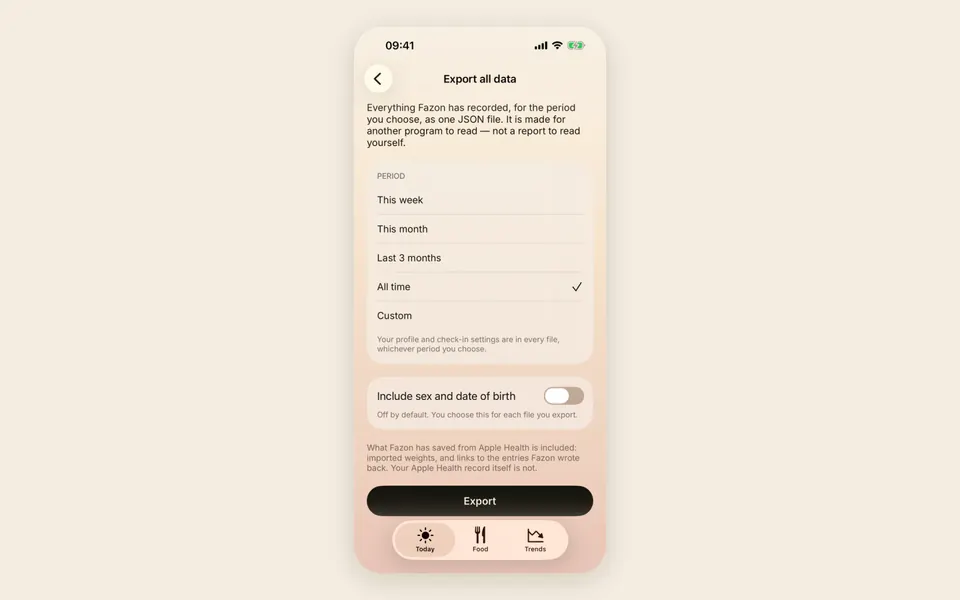
Fazon’s export holds everything the app has saved for the period you choose: your food log with its nutrients, your weigh-ins and waist measurements, your Power Walks, your phases, and every check-in with why the coach kept or changed your targets. It is yours to read, keep, or use with your own tools or AI assistant.
Both are in You → Settings, under Data.
If the file is for a person, say your doctor, the food log as a PDF is the one. If it is for a program, or you want to build something of your own, it is the full export.
Things you deleted are included and marked as deleted, so a tool reading the file can leave them out.
Sex and date of birth are left out unless you turn on Include sex and date of birth. The choice applies to one file at a time.
The coach’s reasons are part of your data, so they are in your export.
A coach that changes your targets should be able to say why. In the app, the check-in tells you. In the export, every check-in is kept with its reasons, so you can read the whole phase back afterwards: which weeks held steady, which weeks changed, and what the coach saw when it changed them.
You can open the file in any program that reads JSON, keep it with your other health records, or use it with your own tools or AI assistant. It is made to sit beside exports from your other apps, such as a full Apple Health export, so that one tool can read them together.
The file holds your health data: what you eat, your weight and your phases, including things you deleted. When you upload it to an AI assistant or any other service, that service receives it and handles it under its own terms, not Fazon’s. Read them before you upload. Fazon can’t take back a file once you’ve sent it.
Fazon makes the file and runs nothing on it. What happens next is up to the tool you choose.
The help article Using your export with your own tools covers each choice on the export screen. Exporting and deleting your data covers the basics, and what deleting can’t remove.
Fazon
Coming to iPhone. To join the waiting list, send us an email.
You join when you send the email, and you don't need to write anything.
No mail app, or you use webmail? Send it yourself:
We write to you when the beta opens and when Fazon is on the App Store, then delete your email. To leave sooner, email us and say so. Privacy
I keep one set of health records, fed by every app I use, for an AI assistant to read. Fazon's export is built for it: every nutrient, every decision.

Losing weight is simple and hard at the same time. Why I built an app around phases with an end, calories and protein, and walking.